 RankedContent
Help center
How RankedContent works
Everything you need to get from a URL to a page that ranks in classic search and gets cited by AI answer engines.
Step 1: Submit a page
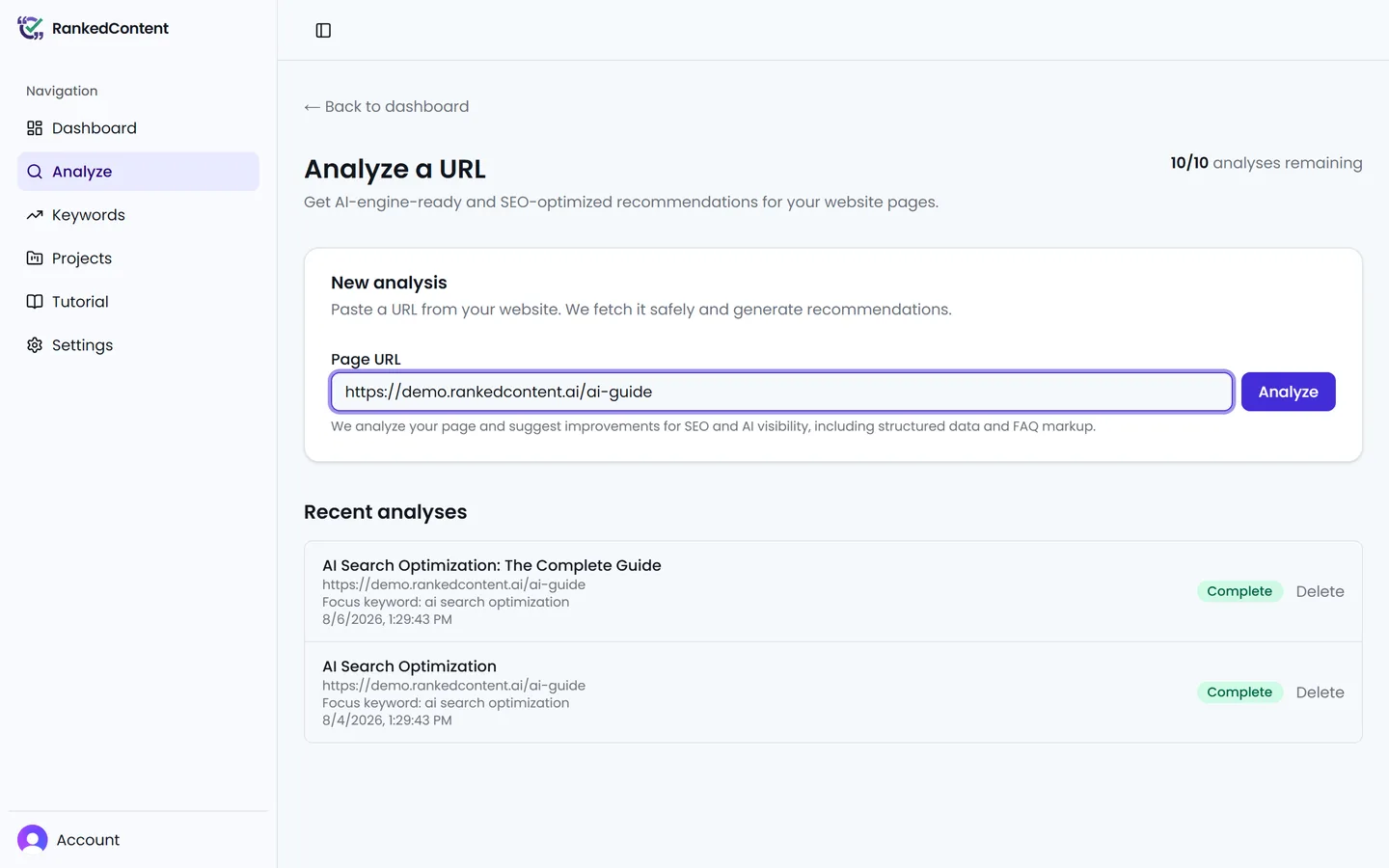
From the dashboard, open Analyze, paste the full URL of a public page, and click Analyze. RankedContent suggests target keywords for the page; confirm or adjust them and the analysis starts. A typical run finishes in about two minutes, with live status along the way.
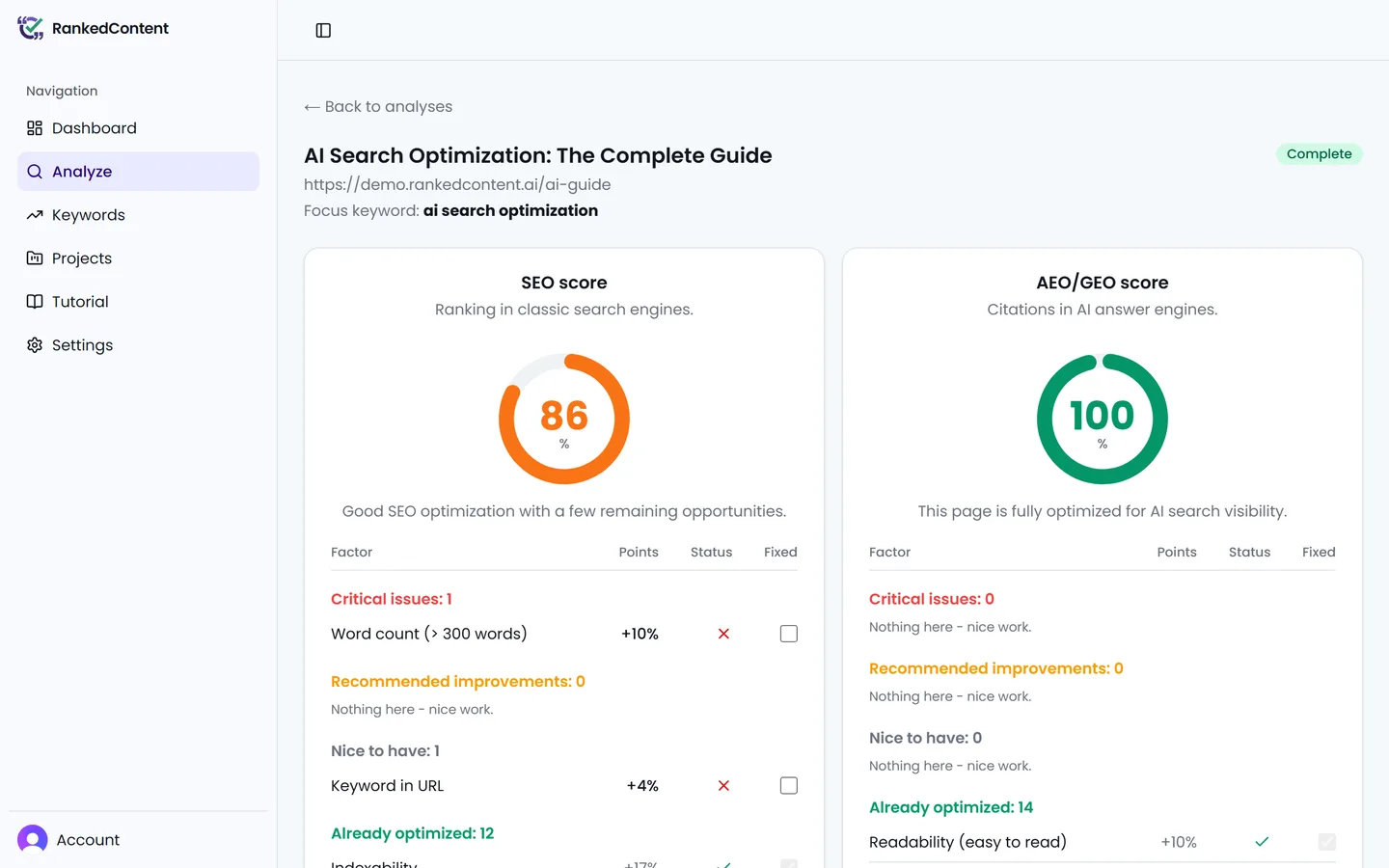
Step 2: Read your two scores
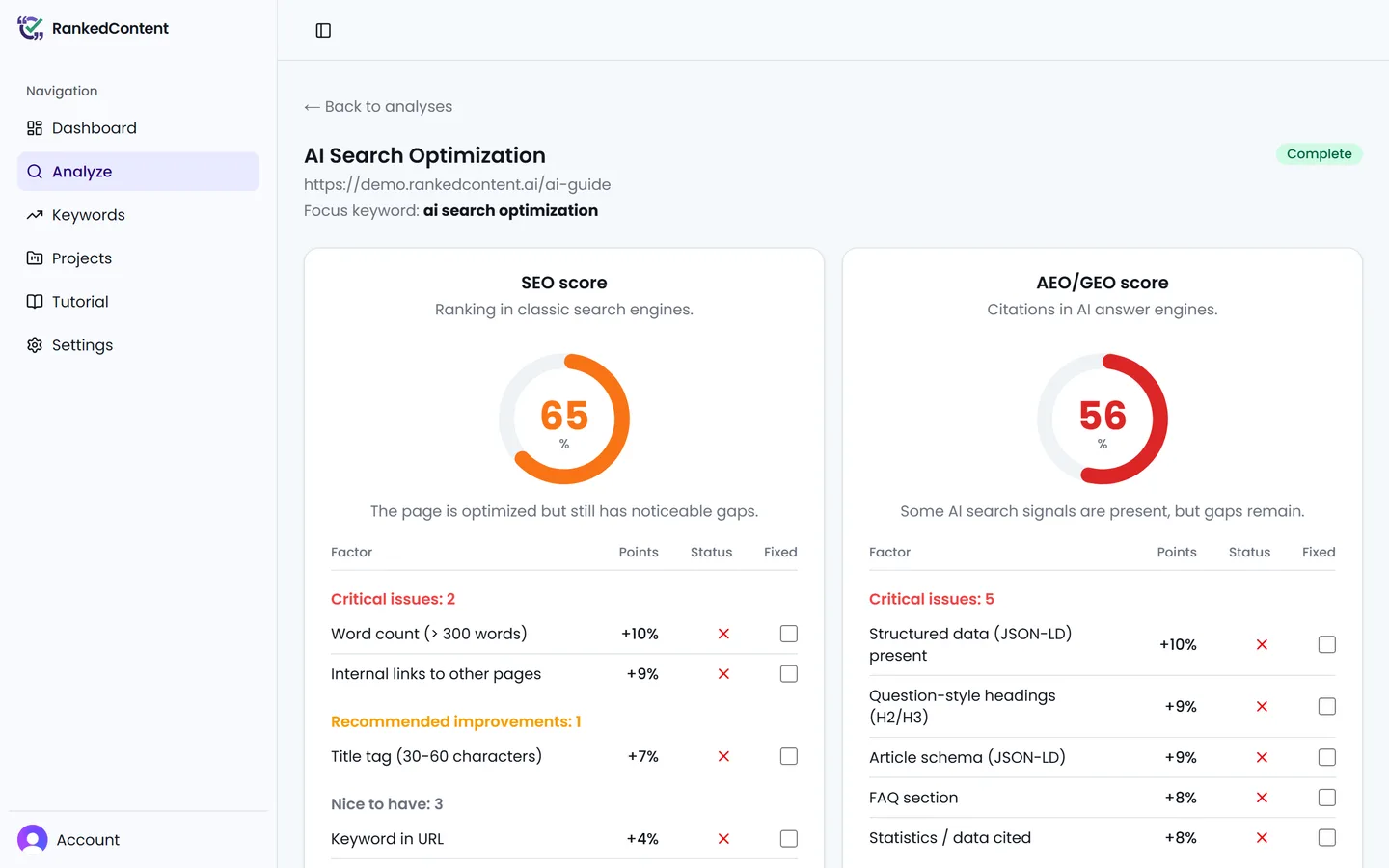
Every analysis produces an SEO score and an AEO/GEO score, each from 0 to 100. SEO covers classic ranking factors; AEO/GEO measures how citable your content is for AI answer engines. Factors are grouped by priority - Critical, Recommended, Nice-to-have, and Already optimized - so the most important work is always at the top.
Step 3: Apply the fixes
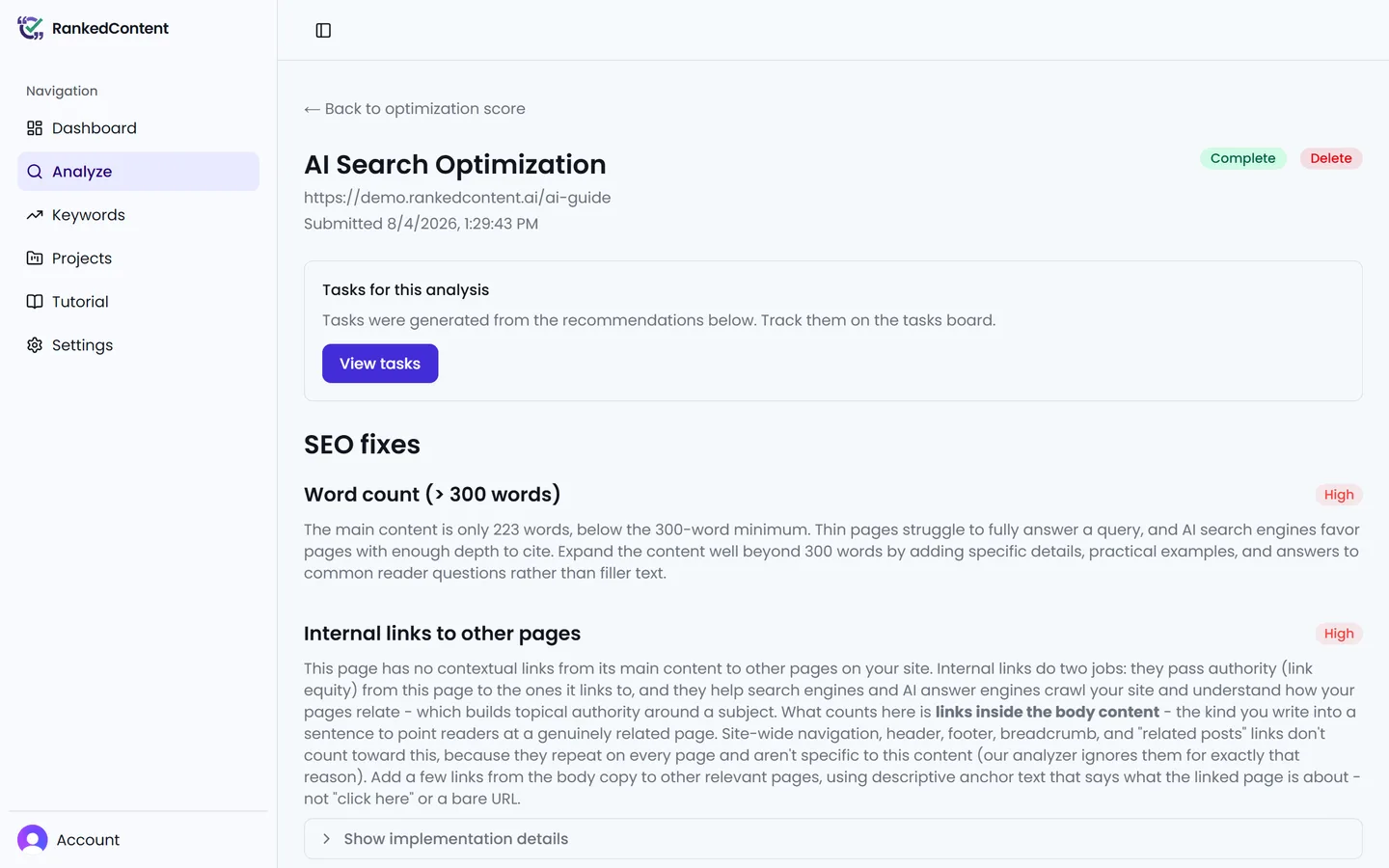
Show fixes on the score page opens a recommendation for every factor that needs work: rewritten tags, ready-to-paste JSON-LD schema, suggested FAQ content, and structural advice. Copy what you need into your site - RankedContent never changes your pages itself.
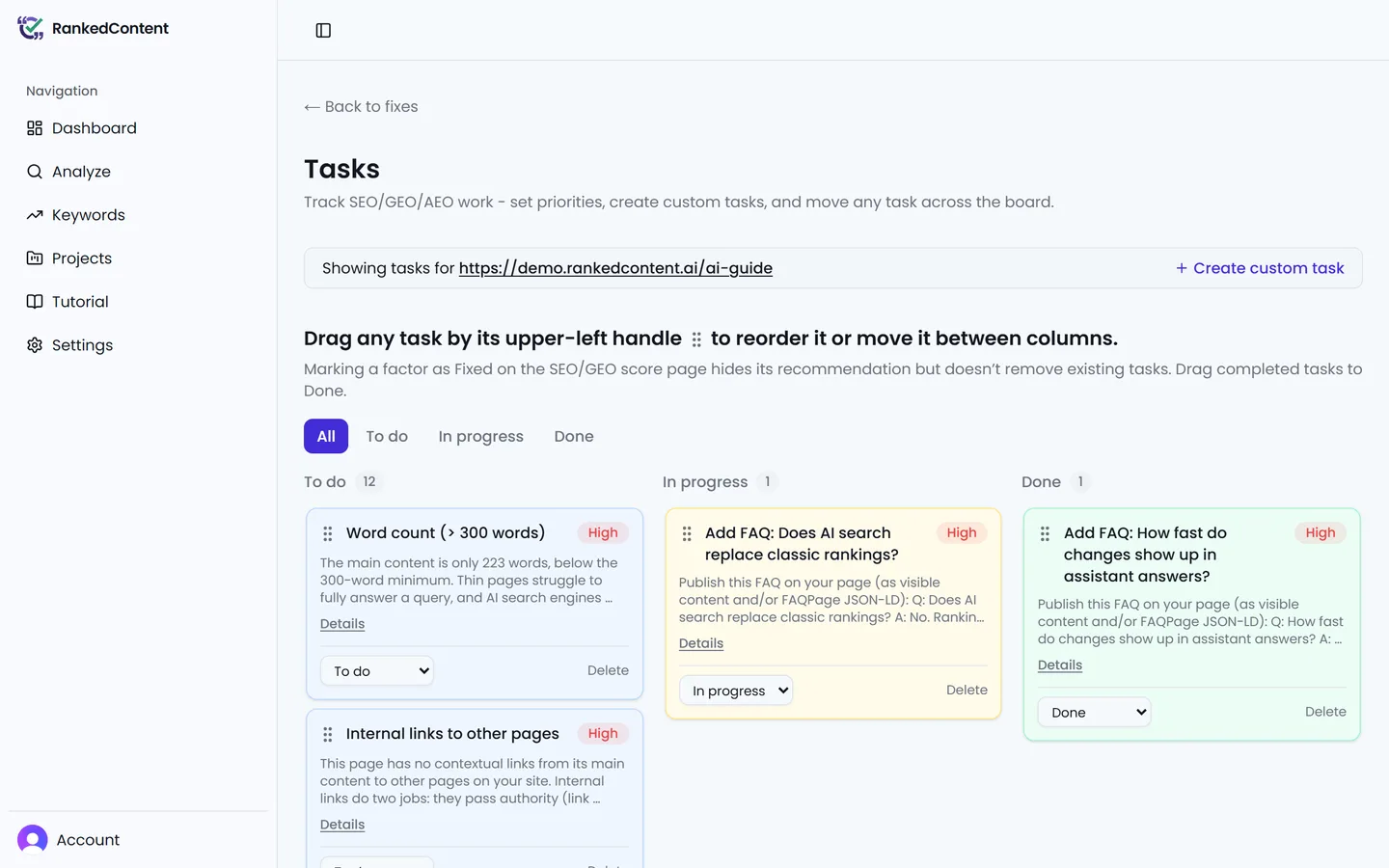
Step 4: Work the task board
Click Create tasks from this analysis to turn every recommendation into a card on a drag-and-drop board, prioritized the same way as the score page. Move cards across columns as you publish fixes.
Step 5: Measure your progress
After you publish changes, analyze the page again to see both scores move. A fresh analysis replaces the previous results and their linked tasks, so wrap up the board first if it still holds work you care about.
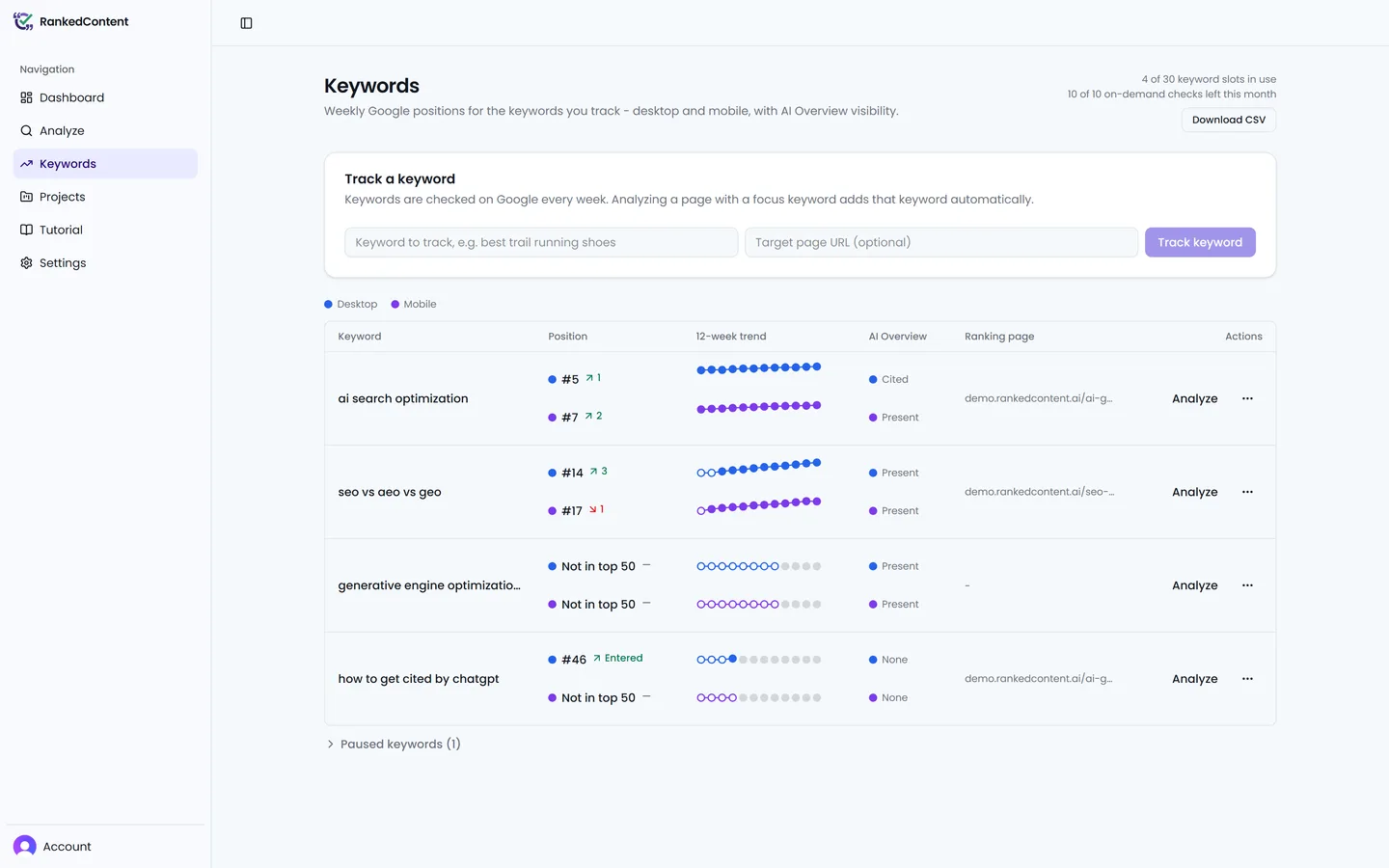
Step 6: Track your keywords
Every analysis can feed its focus keyword to the Keywords scoreboard - the searches you want to win. RankedContent checks each keyword on Google every week, on desktop and mobile: your position in the top 50, the page that actually ranks, and the AI Overview for that search - including if it cites your site. On paid plans the scoreboard also asks the AI engines themselves: each keyword carries a per-engine status for ChatGPT, Perplexity, and Google AI Overviews, and the AI visibility panel scores how often they mention and cite your site. Watch the trend as your fixes ship, and use Run now for a fresh check right after you publish.
Prefer learning by doing?
If you are a registered user, the interactive tutorial walks you through each of these steps inside the app, including a practice task board. Just click the Tutorial entry in the sidebar once you are signed in.
FAQ
Frequently asked questions
What does RankedContent actually do?
RankedContent runs an AI-powered analysis of any page you submit and scores it twice: once for classic SEO and once for GEO, which measures how ready the page is to be cited by AI answer engines. Every factor that needs work comes with a concrete, copy-paste-ready fix such as rewritten tags, JSON-LD schema, or suggested FAQ content.
What are projects and site basics?
A project represents one website you optimize. Every project includes a Site basics check that reviews the foundational signals AI answer engines rely on - AI crawler access, an llms.txt file, and an XML sitemap. Open a project from the Projects list to see its analyses, tasks and tracked keywords together on its own page.
How long does an analysis take?
A typical analysis finishes in about two minutes. During busy periods your analysis may briefly wait in a queue; the page shows a live status while it waits and updates automatically when scoring starts.
What is the difference between the SEO and AEO/GEO scores?
The SEO score covers classic search ranking factors such as the title tag, meta description, headings, internal links, and page setup. The AEO/GEO score measures how citable your content is for AI answer engines: question-style headings, statistics, lists and tables, structured data, freshness, and author signals. The two scores are independent, and each factor is graded on its own.
How does keyword tracking work?
The Keywords page tracks the searches you want to win. Each keyword is checked on Google every week, on desktop and mobile, recording your position in the top 50 results, the page that actually ranks, and the AI Overview for that search, including if your site is cited in it. On paid plans, every keyword also gets AI engine checks: RankedContent runs its companion AI search query through ChatGPT, Perplexity, and Google AI Overviews and records what comes back, including if your site is cited. Add up to five competitor domains in a project's tracking settings and every check records them too: their Google positions in the keyword's Google check history, and if the AI engines cited or mentioned them in its AI engine check history. When you analyze a page you can choose to track its focus keyword too, keywords can be paused, resumed or removed at any time - a removed keyword keeps its check history and picks it back up if you add it again - and Run now gives you a fresh check on demand. Your keyword slots and on-demand allowance are shown right on the page.
Why does my own Google search show a different position?
Keyword checks run as neutral, automated searches for the keyword’s locale, with no signed-in account or browsing history. What you see in your own browser is personalized - your location, language, device, and search history all shift the results - so a small difference is normal. The tracked position is the comparable, repeatable measurement; judge progress by its week-to-week trend rather than a one-off search of your own.
How do the AI engine checks work?
Each check asks the AI engine your keyword’s question through the engine’s own official interface with live web search enabled - the same models doing the same web research as the consumer apps. The recorded answer is representative of what the engine says about your topic, but the exact wording a person sees in an app can still differ, because apps add their own context such as chat history and location.
Why do AI engine results change between checks?
AI answers are not deterministic: the same question can cite different sources on different asks. That is why each keyword is checked once per period, and the statuses and rates on the Keywords page read your last several checks together instead of treating any single answer as the truth. A status like In rotation means recent answers cited you even though the latest one did not - normal variation, not a lost ranking.
How soon do fixes show up in my rankings?
Search engines and AI answer engines need time to re-crawl and re-evaluate a page, so ranking changes typically appear over weeks or months, not days. Publishing the fixes from your analysis is the part you control; the weekly keyword checks record the movement as it happens, and each keyword’s trend shows the progress over time. Run now gives you an up-to-date snapshot of a keyword’s current ranking - a fresh, optional data point, not evidence that your changes have already taken effect.
What is the weekly digest email?
An optional Monday email that sums up each project’s week: keyword movement and work completed on the task board. Weeks with nothing to report are skipped, and every email includes a one-click unsubscribe link.
Does RankedContent make changes to my website?
No. RankedContent only reads the page you submit and never modifies your site. You stay in control: the analysis hands you ready-to-use fixes, and you or your team decide what to publish.
What happens when I re-analyze or delete a page?
A fresh analysis replaces the previous results for that page, and the tasks linked to the old analysis are removed, including completed ones. The same applies when you delete a page from your dashboard. If your task board holds work you want to keep, finish or note it before re-analyzing.
What counts as one analysis?
Each URL you submit uses one analysis from your allowance. New beta accounts receive an introductory analysis allowance. If you need more, get in touch through the contact page.
Why can I not sign up right away?
RankedContent is currently in private beta, but you can join the waitlist from the sign-up page. You will receive an email invitation when your access is ready.
Which search and AI engines does RankedContent optimize for?
Classic search engines such as Google and Bing, and AI answer engines including ChatGPT, Claude, Perplexity, Gemini, Google AI Overviews, and Bing Copilot. The same underlying improvements - clear structure, direct answers, and valid schema - help across all of them.
What data does RankedContent collect about my pages?
When you submit a URL, RankedContent fetches that public page, extracts its content for scoring, and stores the analysis results in your workspace. It does not crawl the rest of your site. See the Privacy Policy for how personal information is handled.
Still stuck? Reach us through the contact page - most inquiries get a reply within 24 hours.